

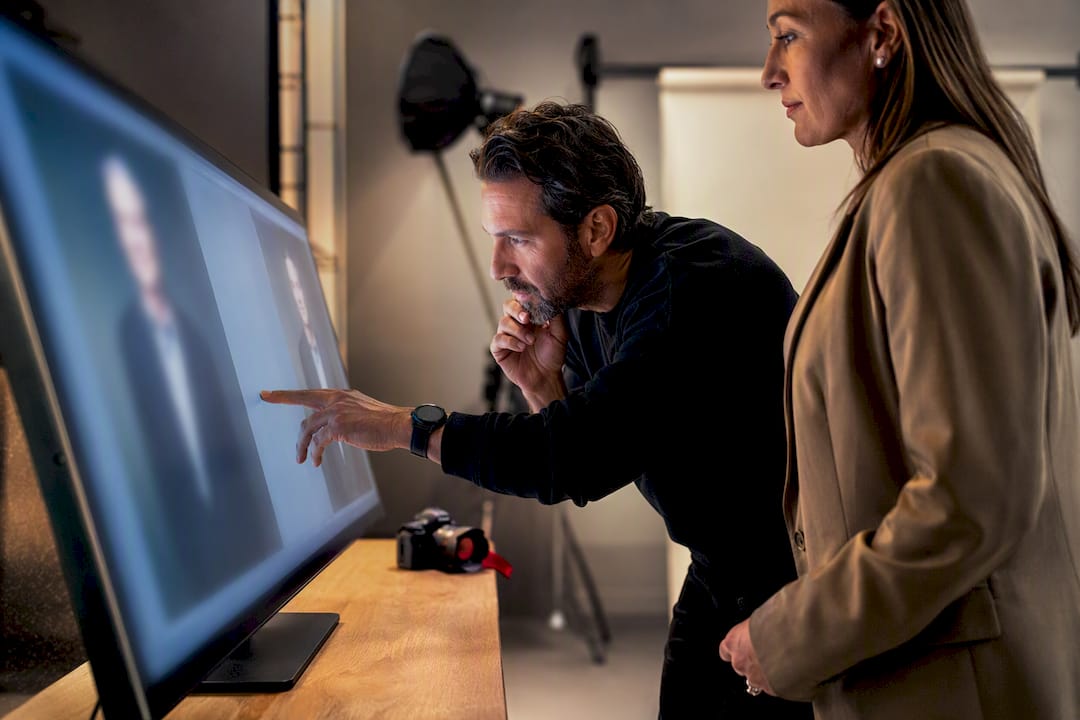
Real-time image review is the client-facing service that lets you preview, critique, and approve headshots as they’re captured, instead of waiting days to see results. The single best reason to book a session that includes it: on-site approval catches problems while you can still fix them, cutting reshoots and getting your finished portrait published faster. Some headshot studios build this into every session for exactly that reason.
TL;DR:
- Nearly all studios now incorporate wired tethered connections to ensure smooth, real-time image previews during headshot sessions.
- Clients should prepare a list of required platforms before the shoot to influence framing and cropping decisions from the start.
- Specific feedback like “chin down slightly” or “background distracts” speeds up posing corrections and shortlists of final images.
- Confirming delivery formats, turnaround times, and equipment connection type upfront can prevent confusion and delays later.
- Real-time review reduces the need for reshoots, ensures consistency across team headshots, and shortens overall project timelines.
Table of Contents
- Why Real-Time Image Review Matters for Busy Professionals
- How Does Real-Time Image Review Work During a Session?
- What Should You Say During On-Site Photo Review?
- What Are the Technical Basics You Should Expect On-Site?
- Questions to Ask Your Photographer Before Booking
- Why We Built Real-Time Review Into Every Session
- Book a Session With Real-Time Review Included
- Sources
- FAQ
Why Real-Time Image Review Matters for Busy Professionals
You’re not paying for a photography session. You’re paying for a finished asset that has to work on LinkedIn, your firm’s website, and a printed program by next week. That’s where instant image evaluation earns its keep.
On-site selection shortens the entire approval cycle. Instead of a photographer sending a gallery link and waiting for your notes, you flag the winners while the camera is still warm, which sharply reduces the odds you’ll need a second session at all. Instant display also lets you catch a collar that’s flipped up or a squint before the photographer moves to the next setup, reducing uncertainty and minimizing the need for reshoots.
For teams, the payoff compounds. Live photo analysis during a group shoot means every executive gets checked against the same lighting, crop, and expression standard in real time, rather than discovering after the fact that half the leadership page looks like it was shot by two different studios.
- Fewer reshoot bookings, since problems get caught mid-session
- Faster expression coaching (you see the stiff smile before it becomes 40 identical stiff smiles)
- Consistent, on-brand results across an entire team roster
- Shorter time from shoot day to published profile
The real payoff: on-screen previews support live posture correction and wardrobe fixes, which is how consistent team portraits actually get made, not through luck or a talented editor after the fact.
How Does Real-Time Image Review Work During a Session?
The mechanics are simpler than most first-time clients expect, and knowing the sequence in advance means you spend your session making decisions, not figuring out the process.
- Pre-shoot briefing. You and the photographer align on where the images will live (LinkedIn, a company directory, a press kit) and what look fits that use.
- Tethered or wireless connection. The camera feeds directly to a monitor or tablet. A wired tether to a laptop running capture software is the industry standard because it’s faster and won’t drop frames.
- On-screen selection. Images appear seconds after capture. You’ll typically view them one at a time or in a side-by-side grid, flagging favorites as you go.
- Iteration. See something off? Adjust the chin angle, swap a jacket, soften the smile, and shoot again immediately instead of guessing whether the fix worked.
- Shortlist and handoff. Once you’ve narrowed the set, you confirm which images move to retouching and what the delivery timeline looks like.
This loop is why seeing headshots during the shoot speeds up final edits. You’re not asking a photographer to guess your preferences from an email. You’re pointing at the screen and saying yes or no.
Pro Tip: Bring a printed list of every platform your headshot needs to fit, whether that’s a square LinkedIn crop or a wide website banner, and mention it during the pre-shoot briefing. It changes how the photographer frames each shot from the very first frame.
What Should You Say During On-Site Photo Review?
Vague feedback wastes your session. “I don’t love it” tells a photographer nothing. Specific, fast phrases keep the shoot moving and get you a better final image.
Check these in order, every time an image comes up: eyes open and focused, expression natural, framing and crop, clothing lines, background. That order matters, because a flawless expression on a crooked collar is a retake, and a great outfit shot with closed eyes is a delete.
- “Keep that one, next pose” moves things along without over-explaining
- “Chin down slightly” fixes the most common awkward-angle complaint in seconds
- “Softer smile” or “bigger smile” recalibrates expression faster than any verbal coaching
- “Retake, background is distracting” flags a setup problem before you’ve wasted ten frames on it
Aim to shortlist five to eight finalists rather than one. That gives your retoucher options and gives you a backup if the top pick doesn’t scale well to every platform. Immediate red flags that call for a retake on the spot: closed eyes, harsh shadows across the face, visible sweat or shine, and anything that reads differently on the monitor than it did in the room.
What Are the Technical Basics You Should Expect On-Site?
A calibrated monitor of professional studio size shows detail a camera’s built-in LCD simply can’t. Stray hairs, faint wrinkles in a shirt, a half-closed eye. All of it hides on a two-inch screen and jumps out on a proper display, which is exactly why large-screen viewing reduces post-shoot disappointment.
What you see on-site is “close enough” for composition, expression, and framing decisions, but not identical to your final file. Color and skin tone get fine-tuned in retouching, so don’t panic over a slightly cool cast on the monitor. It’ll be corrected before delivery.
Reliability matters more than people expect. A wired tether connection is consistently steadier than wireless transfer, which can lag or drop a frame at the worst moment. Tethered shooting with a stable wired connection is the setup most studios rely on for exactly that reason.
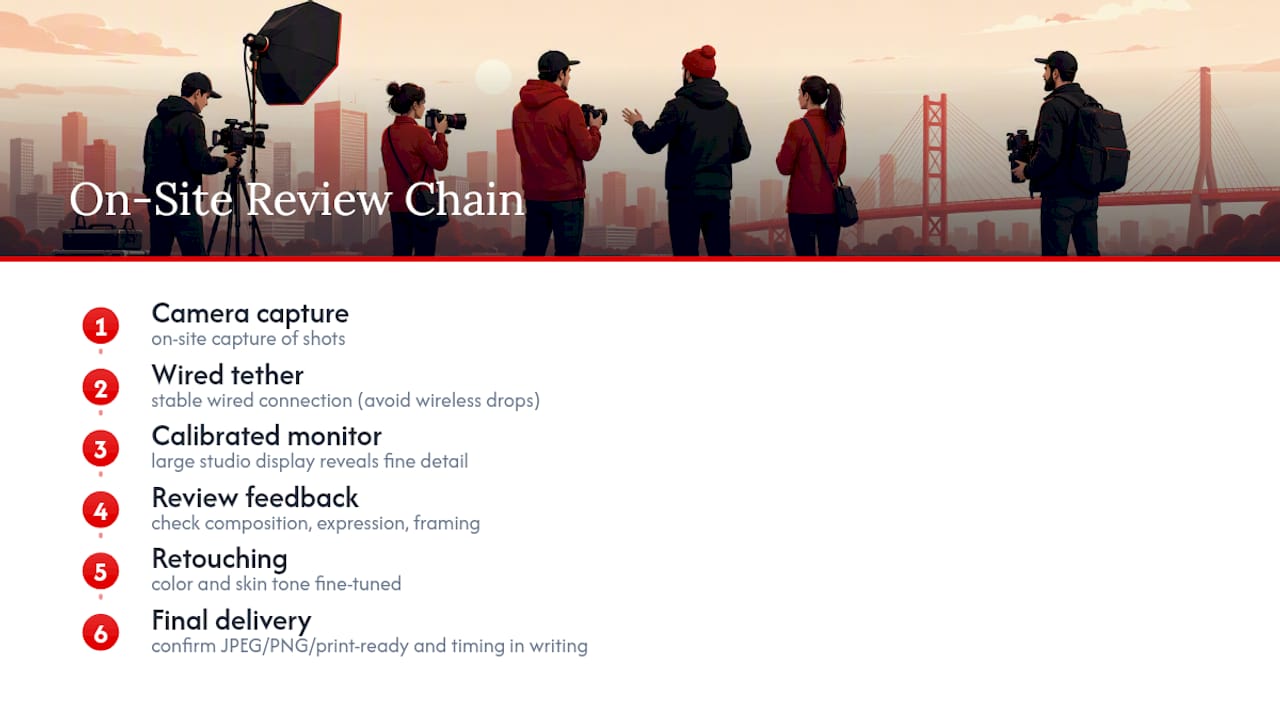
Before you leave, confirm delivery format (JPEG, PNG, print-ready files) and turnaround time in writing. Standard delivery windows vary by studio, so get the number, not a general estimate.
Questions to Ask Your Photographer Before Booking
A few direct questions before you book will tell you whether a studio actually delivers real-time picture feedback or just says it does.
- Do you offer on-screen preview during the session, and on what device?
- Is the connection wired or wireless, and how often does it drop?
- How many final images do I get to select on-site, and what’s included in retouching?
- What’s the turnaround time, and how will files be delivered?
Studios that hesitate on the tether question, wired versus wireless, usually haven’t built the workflow around it. That’s worth knowing before you book, not after.
Why We Built Real-Time Review Into Every Session
Executive presence lives or dies in the details, and consistent headshots are key to boost your brand’s impact. A crooked tie, a stiff smile, a background that clashes with your brand palette. Real-time review lets us catch those details while you’re still in the chair, not after you’ve left. It’s also how we keep group and team shoots consistent instead of letting expression and lighting drift from person to person across a long day.
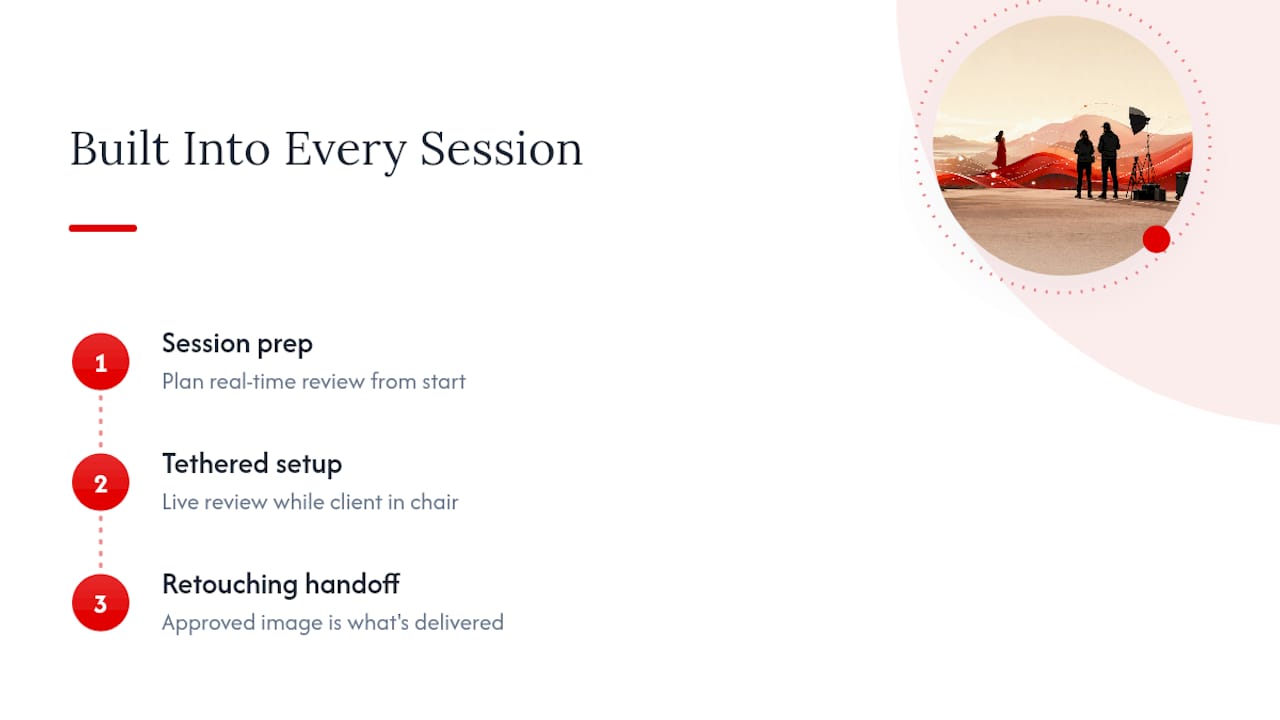
This isn’t a bolt-on feature. It’s built into our session prep, our tethered setup, and our retouching handoff, so what you approve on-screen is what actually gets delivered.
— Traci Schowmeyer
Book a Session With Real-Time Review Included
Many professional headshot sessions, whether in-studio or on-location with mobile setups for offices and events, include real-time image review as standard, not an upsell.

That means you preview each shot on a calibrated screen, flag your favorites, and adjust pose or expression before we move on, rather than crossing your fingers until a gallery link shows up in your inbox days later. Booking often includes professional retouching, background editing where needed, and delivery timelines confirmed before leaving the session. If you’re comparing what a headshot session should actually include, our breakdown of professional headshots versus portraits explains where real-time review fits into the bigger picture. Ready to see it in action? Book a session and pick the format, in-studio or on-location, that fits your team.
Sources
For more on the technical side of tethered workflows, see Mike Glatzer’s breakdown of tethered headshot benefits and Moving and Still Images’ take on reviewing photos during a shoot. For workplace-specific context, see AG Studios’ professional headshot workflow overview.
FAQ
Does real-time image review add time to my session?
It adds a few minutes per setup for previewing and adjusting, but it typically saves far more time overall by eliminating reshoot bookings.
What device will I actually view images on during the shoot?
Most studios tether the camera to a calibrated monitor or tablet, which shows far more detail than the camera’s built-in LCD screen.
Do I get to choose which images go to retouching?
Yes. You shortlist your favorites on-site, and those are the files that move into professional retouching and background editing.
Will the colors I see on-screen match my final delivered photos?
Framing and expression will match closely, but color and skin tone get refined during retouching, so minor tint differences on-site are normal.
How does on-site review affect delivery turnaround?
Because approval happens during the session instead of through email rounds afterward, files typically move into retouching and delivery faster.

