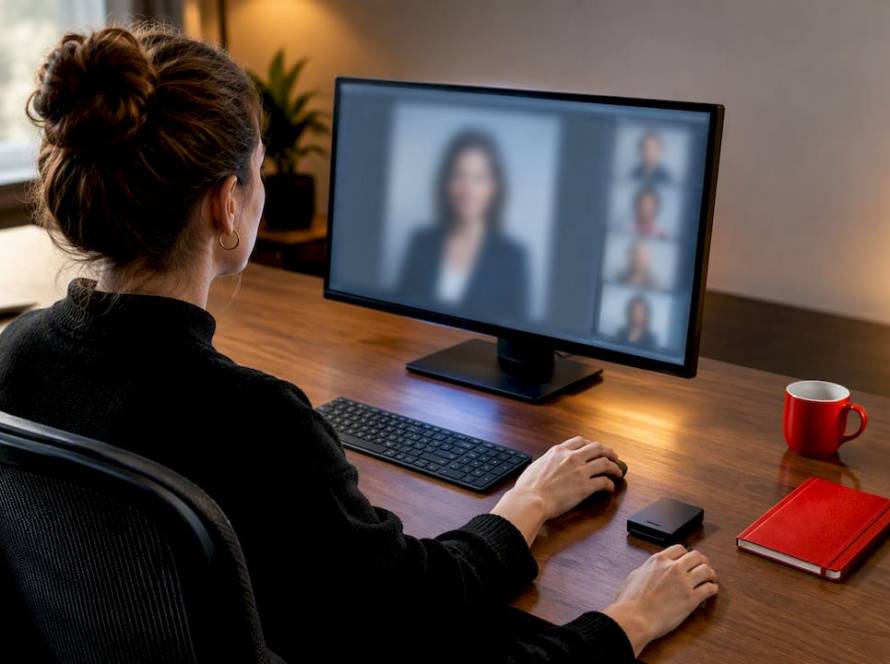
Your press-ready executive photo kit should include a high-resolution JPEG at 300 dpi for print, a web-optimized JPEG at 72–150 dpi, horizontal and vertical crops, a square crop for social and thumbnails, a short caption with photo credit, and a signed image release. Hand your photographer or PR contact three instructions right now: name every file with the executive’s name, date, and intended use (e.g., JSmith_CEO_PressKit_2026_Horizontal.jpg); embed photographer credit and copyright holder in the EXIF metadata; and bundle everything into a single zipped folder or hosted asset link before any media outreach goes out. Metroplex Headshots builds this exact workflow into every executive session so that the final deliverables land in reporters’ inboxes ready to publish, not ready to request revisions.
Table of Contents
- What makes an executive photo press-worthy?
- Headshot styles: which one fits press vs. marketing?
- File formats, resolutions, and crops journalists expect
- How to package and share images with journalists
- Image releases, usage rights, and credit lines
- How executives should prepare for press and media photo sessions
- How to ensure consistent executive imagery across a leadership team
- When to refresh photos and what professional sessions cost in the U.S.
- Your one-page photo kit checklist
- How Metroplex Headshots prepares executive photos for press and media
- Why executive photos matter for press and media
- Crisis management photo considerations
- Tailoring photos for media channels beyond traditional press
- Key Takeaways
- What the best executive photos actually signal
- Metroplex Headshots delivers press-ready executive photo kits
- Useful sources for technical specs, privacy, and academic context
What makes an executive photo press-worthy?
Journalists and photo editors apply three tests before they use an image: the face must be clearly visible with sharp eyes, the lighting must be clean and directional without heavy post-processing, and the background must suit the outlet’s editorial tone, whether that is a neutral studio backdrop or a contextually relevant environment. Photographs strongly influence perceived leadership effectiveness even in brief evaluations, which means a blurry, poorly lit, or over-retouched image does not just look bad — it actively undermines the executive’s credibility before a single word is read.
Composition checks to run before delivery:
- Headroom: one to two inches above the crown; avoid clipping the top of the head
- Eye line: positioned at roughly the upper third of the frame
- Framing: shoot loose enough to allow editorial cropping without losing the face
- Expression: natural, engaged, and role-appropriate — not forced or overly posed
For lighting, soft and directional is the standard. Avoid ring-light flat lighting, heavy skin smoothing, or filters that make the image look processed. Subtle retouching maintains trust and credibility with editorial audiences who are trained to spot over-edited images.
Pro Tip: Always deliver both a formal studio variant and a warmer, slightly more relaxed version. Outlets covering a leadership announcement will often choose the authoritative look, while a feature profile or podcast guest page will reach for the approachable one. Giving editors the choice removes a barrier to pickup.
Headshot styles: which one fits press vs. marketing?
The style that works for a LinkedIn banner rarely works for a wire-service press release, and the style that works for an investor deck rarely works for a speaker bio page. A one-line mapping saves a lot of re-shoots:
- Press release / wire distribution: clean studio or environmental portrait, neutral or brand-consistent background, formal wardrobe, direct gaze
- Speaker bio / conference profile: confident mid-shot with slight environmental context, approachable expression, business-casual to formal
- LinkedIn / digital bio: tighter crop, warmer expression, slightly less formal wardrobe acceptable
- Investor deck / annual report: formal studio, conservative wardrobe, high-contrast lighting that reproduces well in print and PDF
- Editorial profile / feature story: environmental portrait that shows the executive in their professional context (office, production floor, boardroom)
An executive headshot now functions as a first impression across many touchpoints simultaneously, which is why one photo is rarely enough. Plan for at least two distinct styles per executive per cycle.
On wardrobe: formal studio shots call for solid, dark, or mid-tone colors that hold contrast on white editorial backgrounds. Environmental shots allow slightly more personality, but patterns, logos, and busy textures still distract. For modern brand portraits, a single open collar or a blazer without a tie reads as confident rather than casual, provided the rest of the composition is polished.

A note on AI-generated headshots: AI headshot services can produce studio-grade images from a single photo, but editorial audiences and many employers prefer photographed images because of authenticity and the ability to provide a traceable signed release. For press and media use specifically, a photographed portrait is the safer and more credible choice.
File formats, resolutions, and crops journalists expect
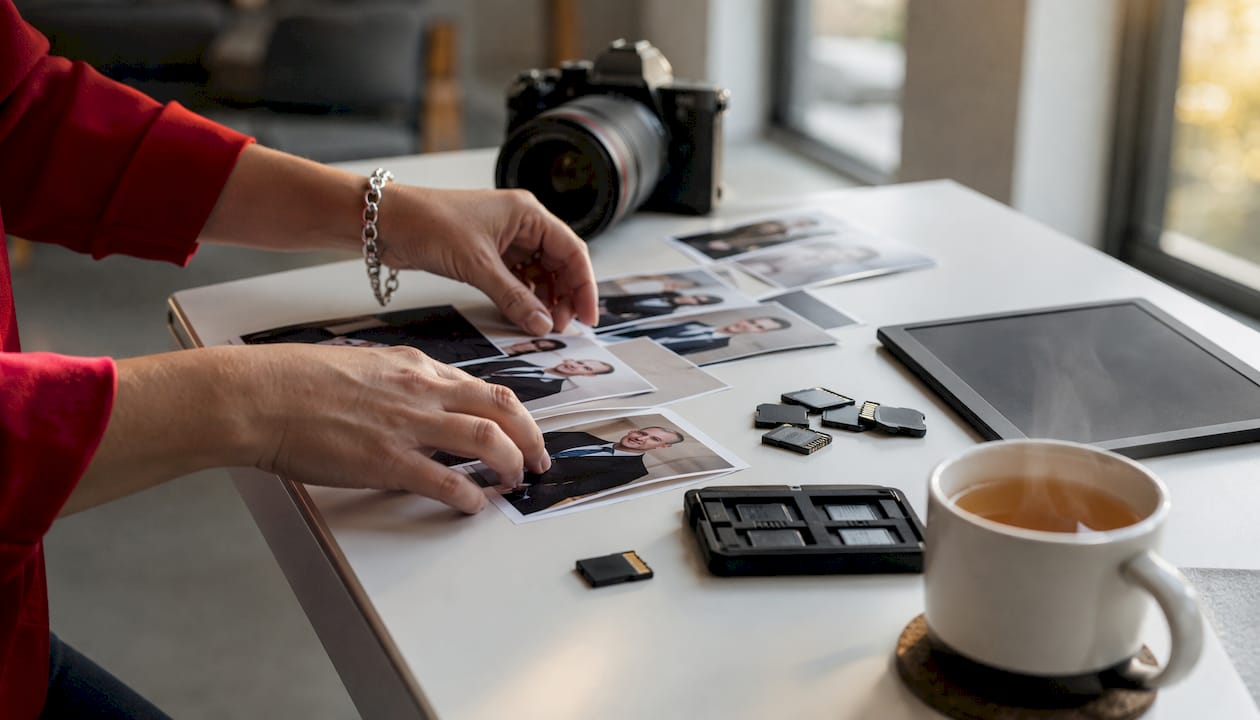
Every executive should supply the following set of files as a baseline. The 300 dpi JPEG standard for print, with a target file size of 2–5 MB, is the practical benchmark most editorial teams expect.
| File Type | Dimensions | File Size | Color Profile | Primary Use |
|---|---|---|---|---|
| JPEG (print) | — | 2–5 MB | sRGB | Newspapers, magazines, print press kits |
| JPEG (web) | — | 300–800 KB | sRGB | Online press releases, newsrooms, bios |
| JPEG (square) | 1000 × 1000 px | 150 KB | sRGB | Social media, thumbnails, podcast art |
| JPEG (horizontal) | 1920 × 1080 px | — | sRGB | Video thumbnails, banners, editorial headers |
| PNG (transparent bg) | 1000 × 1000 px min | Varies | sRGB | Graphic overlays, event programs, slides |
Crops to include in every kit:
- Horizontal (16:9): for editorial headers, video thumbnails, and banner placements
- Vertical (2:3 or 4:5): for magazine layouts and portrait-oriented editorial use
- Square (1:1): for social media profiles, podcast guest pages, and app thumbnails
- Tight headshot crop: face and shoulders only, for speaker directories and bio pages
For file naming, use a consistent convention: LastName_FirstName_Title_Orientation_Year.jpg (e.g., Smith_Jane_CEO_Vertical_2026.jpg). Embed the following metadata in every file: photographer name and copyright, caption (one sentence identifying the subject, title, and organization), usage terms or contact email, and the date of the shoot.
How to package and share images with journalists
Reporters prioritize assets they can use immediately. A well-labeled, captioned JPEG with a short release cuts editorial work and increases the chance your image gets used rather than replaced with a stock photo.
- Create the asset folder. Organize files into subfolders by orientation (Print, Web, Social) and name the parent folder with the executive’s name and the event or date (e.g.,
JSmith_CEO_MediaKit_June2026). - Write a caption document. Include one caption per image variant: subject name, title, organization, photographer credit, and any embargo or usage restriction. Save as a plain-text
.txtor.docxfile inside the folder. - Attach the release. Place the signed image release as a PDF in the root of the folder.
- Zip and host. Compress the folder to a single
.zipfile. Upload to a file-transfer service (WeTransfer, Dropbox, or a branded newsroom portal) and generate a shareable link with no expiration or a long expiration window. - Draft the email. Subject line format:
[MEDIA KIT] Jane Smith, CEO, Acme Corp — High-Res Photos Available. In the body, include a one-sentence description, the download link, your name, direct phone number, and a note that the release is included in the kit. - Embed a thumbnail. Paste a low-resolution preview image directly in the email body so editors can see the image at a glance before downloading.
- Follow up once. If the image is time-sensitive (tied to a press release or event), a single follow-up 24 hours later is appropriate. Include the download link again.
Image releases, usage rights, and credit lines
The minimum legal and editorial package for any press image includes three items: a signed release from the subject, a short usage-rights statement, and a photographer credit line. Editorial policy varies by outlet, but most publications still request a signed release before publishing, even for images taken in public settings.
Sample release language to include or attach:
Credit line formats by context:
- Standard editorial:
Photo: Jane Doe / Acme Corp - Wire distribution:
Photo credit: Jane Doe Photography for Acme Corp - Embargo example:
Embargoed until June 15, 2026, 9:00 AM ET. Not for publication before that date. - Restriction example:
For editorial use only. Not for commercial licensing or resale.
Include the credit line in the caption document, in the image EXIF data, and in the body of any email distributing the kit. Never assume an editor will add it without a prompt.
How executives should prepare for press and media photo sessions
The 24–48 hours before a session matter more than most executives expect. Prioritize sleep, finalize wardrobe choices, and align on the visual message the photos need to communicate before walking into the studio.
Pre-shoot checklist:
- Wardrobe: solid colors in navy, charcoal, burgundy, or deep teal photograph best; avoid white (blows out), black (loses detail in shadows), and busy patterns
- Fit: clothing should be tailored or well-fitted; wrinkles and ill-fitting jackets read clearly on camera
- Grooming: haircut or style appointment 5–7 days before (not the day before); men should shave or trim facial hair the morning of the shoot
- Makeup: camera-friendly, matte finish; avoid shimmer or heavy contouring; a professional makeup artist familiar with photography lighting is worth the investment
- Posture: practice standing and sitting with shoulders back and chin slightly forward and down; this single adjustment eliminates most double-chin and slouch issues
- Alternate looks: bring at least two complete outfits, including a blazer-on and blazer-off option, and a tie/no-tie variation for men
Enclothed cognition research shows that clothing and posture choices change how viewers infer competence and leadership from a photograph. Aligning wardrobe to the intended role reduces mixed signals before a journalist or investor forms a first impression.
Dos and don’ts: Do bring a lint roller, a steamer or iron, and any personal items that are part of your professional identity (glasses, a specific watch). Don’t wear distracting jewelry, novelty ties, or branded merchandise unless it is part of the intended message. If you are unsure between two looks, bring both and decide on set with the photographer.
For gender-specific wardrobe and styling guidance, the female executive headshot tips resource from Metroplex Headshots covers necklines, color choices, and accessory decisions in detail.
How to ensure consistent executive imagery across a leadership team
A one-page executive photo style guide is the single most effective tool a communications team can create to prevent visual drift across investor pages, press kits, and event programs. Without one, leadership imagery tends to fragment over time as executives update photos independently and at different intervals.
Style guide checklist:
- Crop ratios: mandate two standard crops (e.g., 1:1 square and 2:3 vertical) for all team members
- Approved backgrounds: limit to two options (e.g., a neutral gray studio backdrop and a specific office environment)
- Tone guidance: define whether the team’s photos should read as formal, approachable, or a mix by seniority level
- Wardrobe cues: specify approved color families and prohibit patterns or branded items
- File-naming convention: standardize across all team members so asset managers can sort and retrieve files consistently
Distribution policy bullets:
- Designate one person (typically the communications director or executive assistant) as the master image custodian
- Store approved master files in a shared, access-controlled folder (Google Drive, SharePoint, or a DAM system)
- Require written approval from the communications lead before any team member distributes a new or updated photo
- Archive outdated photos in a clearly labeled “Retired” subfolder rather than deleting them, to preserve version history
- Schedule a team-wide photo refresh review annually or after any significant brand update
Standardizing executive photo deliverables with preset crops, file names, and metadata reduces friction and prevents older, inconsistent photos from circulating across investor, media, and event pages.
When to refresh photos and what professional sessions cost in the U.S.
Refresh executive headshots at least every 18–36 months, or sooner after a role change, a significant appearance change, a brand rebrand, or a major media push. An outdated photo is a credibility problem: journalists who meet an executive in person and find the headshot looks like a different decade will note the discrepancy.
Typical U.S. session workflow timeline:
- Planning and briefing: 3–5 business days before the shoot (style guide review, wardrobe confirmation, location scouting if environmental)
- Shoot day: 1–3 hours for a single executive; half-day to full-day for a leadership team of four or more
- Editing and retouching: 5–10 business days standard; 2–3 business days for expedited delivery
- Final deliverables: zipped kit with all crops, captions, and release delivered via download link
Ballpark U.S. cost ranges:
- Single executive session: $300–$800 for a standard studio session with basic retouching and digital files
- Multi-executive team day: $1,500–$4,000+ depending on team size, location, and number of variants
- Add-ons: environmental shots, professional makeup artist, additional crop variants, and expedited turnaround each add $100–$500 to the base cost
For annual report and investor-cycle timing, the corporate headshot for annual report guide from Metroplex Headshots covers lead times and what to brief your photographer on for that specific use case.
Your one-page photo kit checklist
Use this sheet as the media asset appendix in press releases and event briefs. Copy it into your photographer brief or attach it to your PR agency’s asset request.
Files to include:
- [ ] Print JPEG (300 dpi, 2–5 MB, sRGB)
- [ ] Web JPEG (72–150 dpi, 300–800 KB, sRGB)
- [ ] Square JPEG (1000 × 1000 px, sRGB)
- [ ] Horizontal JPEG (1920 × 1080 px, sRGB)
- [ ] Transparent-background PNG (for graphic overlays)
- [ ] Caption document (.txt or .docx) with one caption per variant
Required metadata per file:
- [ ] Photographer name and copyright line
- [ ] Subject name, title, and organization
- [ ] Usage terms and contact email
- [ ] Shoot date
Release and credit:
- [ ] Signed image release (PDF) in root folder
- [ ] Credit line in caption document and EXIF data
- [ ] Embargo or restriction note (if applicable)
Sample file names:
Smith_Jane_CEO_Print_Vertical_2026.jpgSmith_Jane_CEO_Web_Square_2026.jpgSmith_Jane_CEO_Horizontal_Banner_2026.jpg
Delivery:
- [ ] All files zipped into one folder named
LastName_FirstName_Title_MediaKit_Month2026 - [ ] Hosted download link with no expiration (or 90-day minimum)
- [ ] Contact name, phone, and email included in the caption document
How Metroplex Headshots prepares executive photos for press and media
Metroplex Headshots delivers a press-ready photo kit, complete with standardized crops, embedded metadata, and a caption document, within the agreed turnaround window after the shoot day. The workflow is built around the deliverables journalists actually need, not just the images executives want.
The session workflow:
- Briefing call: review the executive’s intended use cases (press release, speaker bio, LinkedIn, investor deck), confirm wardrobe, and align on background and tone
- Wardrobe consult: review planned outfits against the brand’s style guide or the outlet’s likely editorial tone
- Shoot plan: map out which crops and variants to capture on set (studio formal, environmental, mid-shot, tight headshot) so no variant requires a re-shoot
- On-set decisions: lighting is set for clean, directional output that reproduces well in both print and digital; expressions are coached for the intended use case
- Editing standards: subtle, press-appropriate retouching only — no heavy filters, no skin smoothing that removes natural texture
- Final packaging: files named, metadata embedded, caption document written, release attached, and the full kit zipped and delivered via a hosted download link
The outcome for communications teams is fewer asset requests from journalists, faster editorial pickup, and a consistent visual identity across every channel where the executive appears. Metroplex Headshots also offers national headshot coverage for organizations with leadership teams in multiple cities, coordinating consistent style and deliverables across locations.
For a deeper look at the session process and what to expect on shoot day, the C-suite headshot photography guide covers technical and stylistic decisions specific to senior leadership portraits.
Why executive photos matter for press and media
A professional portrait is the digital handshake that precedes every media interaction. Before a journalist reads a bio, before an investor reviews a deck, and before a conference attendee decides whether to attend a session, they have already formed an impression from the photograph. Research on face perception confirms that leadership and personality traits are attributed from facial images within milliseconds, often at the expense of other, more diagnostic information.
The halo effect compounds this. A systematic literature review covering empirical studies from 2019–2024 found a positive association between managed professional appearance and measurable business outcomes, including perceived competence and investor behavior. A polished, press-ready portrait does not just look good — it signals that the executive and the organization behind them take their public presence seriously.
The importance of executive images extends beyond vanity. Outlets that receive a high-quality, properly formatted photo are more likely to use it, which means the executive controls the visual narrative rather than leaving editors to pull a screenshot from a conference video or a years-old social media photo.
Crisis management photo considerations
When a media request arrives under pressure — a breaking story, a regulatory announcement, or a leadership transition — the last thing a communications team should be doing is hunting for a usable photo. Crisis communications moves fast, and an outdated or low-resolution image handed to a reporter in that moment can compound the problem.
Three practices reduce crisis photo friction significantly. First, maintain a “ready now” folder separate from the full media kit: one print JPEG, one web JPEG, and the signed release, accessible to the communications lead at any time without needing to contact the photographer or IT. Second, brief the executive’s assistant on where the folder lives and how to share it, because the communications director may not be reachable at the moment a request comes in. Third, when a leadership change or sensitive announcement is anticipated, schedule a photo session in advance and hold the images under embargo until needed.
One nuance worth noting: in a crisis, the tone of the photo matters as much as the quality. A highly formal, stern portrait may reinforce a negative narrative during a sensitive story. If the communications strategy calls for an empathetic or transparent tone, the warmer variant from the media kit is often the better choice to release.
Tailoring photos for media channels beyond traditional press
The press release is no longer the only destination for an executive portrait. Podcast guest pages, YouTube thumbnails, webinar platforms, newsletter headers, and event apps each have distinct format requirements and visual expectations that a standard press kit may not cover.
Podcast and audio platforms typically display a square image at small sizes (often 300 × 300 px on mobile), which means the tight headshot crop is the only variant that reads clearly. A horizontal studio shot that looks authoritative on a newspaper website becomes an unreadable sliver in a podcast directory. Build the square crop into every kit by default.
Video thumbnails for YouTube and webinar platforms favor horizontal images with the subject positioned to one side, leaving room for text overlay on the other. The 1920 × 1080 px horizontal JPEG serves this purpose, but the executive’s expression and framing need to hold up at thumbnail size (roughly 320 × 180 px on most platforms). Test the crop at that size before finalizing.
Newsletter headers and email marketing platforms often compress images aggressively. Supply a web-optimized JPEG at 150 dpi rather than the full print file, and confirm the color profile is sRGB so the image renders consistently across email clients. For event apps and conference platforms, check the platform’s specific upload requirements before the event — many cap file size at 1 MB and require a specific aspect ratio that differs from standard press crops.
Multimedia press releases that combine images, short executive videos, and downloadable media kits make stories easier for editors to publish across all of these channels simultaneously. An executive who supplies a full variant set — print, web, square, horizontal, and a short video clip — removes every barrier between a reporter and a published story.
Key Takeaways
A press-ready executive photo kit with properly named high-resolution JPEGs, multiple crops, embedded metadata, a caption document, and a signed release is the single most effective step to increase media pickup and control the executive’s visual narrative.
| Point | Details |
|---|---|
| Supply multiple file variants | Include print JPEG (300 dpi, 2–5 MB), web JPEG (72–150 dpi, 300–800 KB), square, horizontal, and transparent PNG in every media kit. |
| Embed metadata and captions | Every file needs photographer credit, subject name, usage terms, and a caption to reduce editorial friction. |
| Include a signed release | Attach a signed image release as a PDF so editors can publish without legal delay. |
| Refresh every 18–36 months | Update headshots after role changes, brand updates, or significant appearance changes to avoid visual drift. |
| Metroplex Headshots | Delivers press-ready kits with standardized crops, embedded metadata, and caption documents for immediate editorial use. |
What the best executive photos actually signal
The conventional wisdom in communications circles is that a good headshot is about looking professional. That framing undersells what is actually at stake. A press-ready portrait is a trust instrument. Research on facial perception shows that business professionals, when evaluating a consultant’s photograph on a corporate website or LinkedIn page, consistently prefer faces that communicate trustworthiness over those that communicate dominance or success. The implication for executives is counterintuitive: the most authoritative-looking photo is not always the most effective one. An image that reads as approachable and credible will often outperform a stiff, formal portrait in editorial contexts where the journalist is trying to humanize the story.
What I see most often is executives who invest in a great session and then undermine it by distributing the images incorrectly — wrong file size, no caption, no release, outdated photo still circulating on the company website. The photo itself is only half the equation. The workflow around it is the other half, and that is where most organizations leave value on the table. A press-ready kit is not a luxury for Fortune 500 communications teams. It is the baseline any executive with media ambitions should have ready before the first pitch goes out.
Metroplex Headshots delivers press-ready executive photo kits
Fewer re-shoots, faster editorial pickup, and a consistent visual identity across every channel — that is what a properly built executive photo kit produces, and it is exactly what Metroplex Headshots is built to deliver. Every session includes a pre-shoot briefing, on-set crop planning for press and digital variants, press-appropriate retouching, and a fully packaged kit with named files, embedded metadata, and a caption document ready to send to journalists.
For organizations with leadership teams across multiple cities, national headshot coverage coordinates consistent style and deliverables across locations so every executive’s photo reads as part of the same brand. For individual executives ready to build or refresh their media presence, the professional headshot session guide covers everything from wardrobe selection to final file delivery. Book a session or download the prep guide to get your press-ready kit built the right way.
Useful sources for technical specs, privacy, and academic context
For deeper guidance on the technical, legal, and academic dimensions of executive photography for press and media, these sources are worth bookmarking.
- How to take a great headshot for PR use — Luminous PR’s practical guide to file specs, retouching standards, and what editorial teams expect from submitted images
- Using Multimedia in Press Releases to Increase Reach and Pickup — EasyPRWire’s guidance on building multimedia press kits that increase editorial pickup
- Photographers’ Guide to Privacy — the Reporters Committee for Freedom of the Press covers image release requirements and publication considerations
- The Influence of Image Consulting on Executive Performance — systematic literature review on the measurable business outcomes associated with professional image management
- E-perceptions and Business ‘Mating’ — Frontiers in Psychology study on how facial cues in business portraits affect professional trust and preference
- Attributing leadership personality and effectiveness from the leader’s face — Emerald Publishing study on how photographs shape leadership perception in brief evaluations