

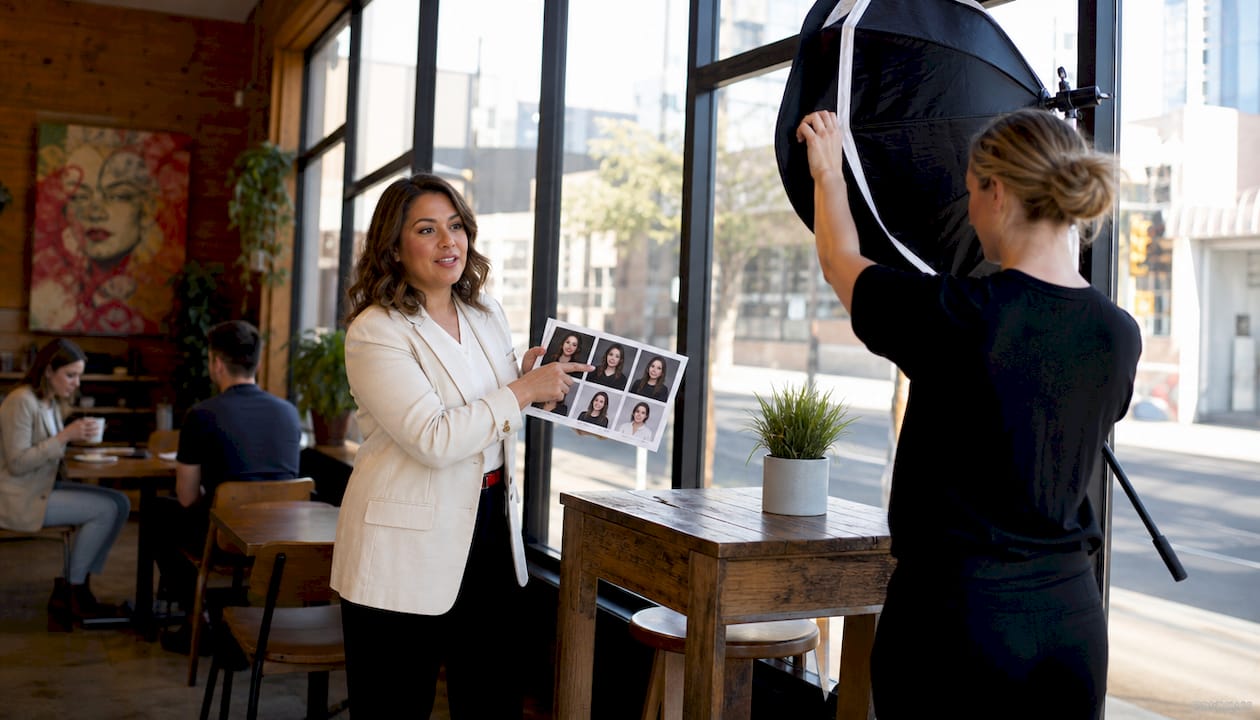
Standardized employee headshots are defined as a unified set of professional portraits that share consistent background, lighting, composition, and editing style across every member of your organization. When you standardize employee headshots company-wide, you send a clear signal to clients, partners, and recruits that your company operates with intention and professionalism. Inconsistent headshots create visual chaos and reduce brand trust. The good news is that a well-planned headshot program is entirely achievable, and this guide walks you through every step, from writing your first style guide to scheduling your hundredth employee’s session.
What key elements should be consistent in company-wide headshots?
Standardized headshots require consistent background, lighting, crop, and editing style to reinforce brand cohesion without erasing individuality. These four elements are the foundation of any successful uniform employee photo program. Get them right, and every portrait on your website, LinkedIn page, and internal directory will feel like it belongs to the same family.
Background choices and what they signal
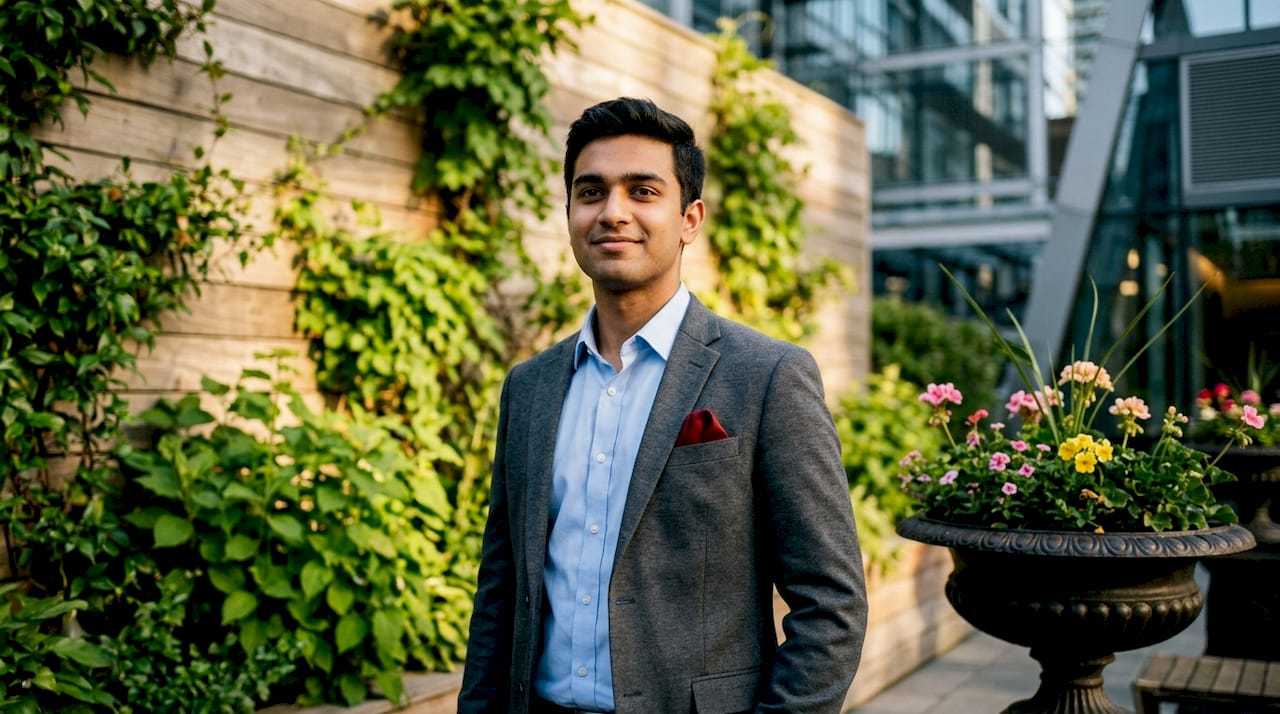
Your background choice is the single most visible branding decision in a headshot. White and light gray backgrounds read as clean and corporate. Branded colors add personality and work well for companies with strong visual identities. Blurred office environments suggest approachability and culture fit. Whichever you choose, apply it without exception across every department and seniority level.
Lighting, crop, and framing standards
Lighting should be soft and directional, eliminating harsh shadows while keeping the subject’s face fully visible. The crop standard for most corporate headshots is a head-and-shoulders frame with the subject’s eyes positioned in the upper third of the image. Eye level matters too. A camera positioned slightly below eye level can make subjects appear shorter and less authoritative, while eye level or slightly above reads as confident and direct.
Editing style and retouching limits
Editing consistency is where many programs quietly fall apart. One photographer delivers warm, golden-toned images. Another delivers cool, desaturated ones. The result is a company directory that looks like a collage from three different organizations. Set a documented color profile and retouching standard. Skin smoothing should be subtle enough that the employee is still recognizable. Teeth whitening, if applied, should be uniform across all portraits.
- Background: Choose one option (white, gray, branded color, or blurred environment) and apply it to every session.
- Lighting: Use soft, directional light with no harsh shadows and consistent color temperature.
- Crop: Head-and-shoulders frame, eyes in the upper third, camera at eye level.
- Editing: Document a color profile and retouching limit. Apply it to every delivered image.
- Attire: Specify business professional or business casual and communicate it clearly before each session.
Pro Tip: Request a sample edited image from your photographer before the full session begins. Comparing it against your style guide takes five minutes and prevents weeks of costly re-editing.
How do you establish and communicate company headshot guidelines?
A documented style guide with background, lighting, attire, and grooming standards is the foundation of any effective standard headshot policy. Without documentation, guidelines live only in someone’s memory, and memory is inconsistent. Your style guide becomes the single source of truth for photographers, HR coordinators, and employees alike.
Building your headshot style guide
Your style guide does not need to be a lengthy document. A two-page PDF with annotated example images communicates more than ten pages of text. Include a reference photo showing the approved background, lighting setup, crop, and editing tone. Add a “not approved” example so employees and photographers understand what to avoid. Store the guide in a shared drive that every stakeholder can access.
Setting expectations for employees
Employees often feel anxious about headshots, and that anxiety shows up in stiff posture and forced smiles. Clear pre-session communication reduces that anxiety. Send a brief prep guide covering approved attire, grooming expectations, and what to expect on the day. Specify whether solid colors are preferred over patterns, whether open collars are acceptable, and whether glasses are permitted. The more specific you are, the fewer surprises you face on session day.
Here is a practical sequence for rolling out your standard headshot policy:
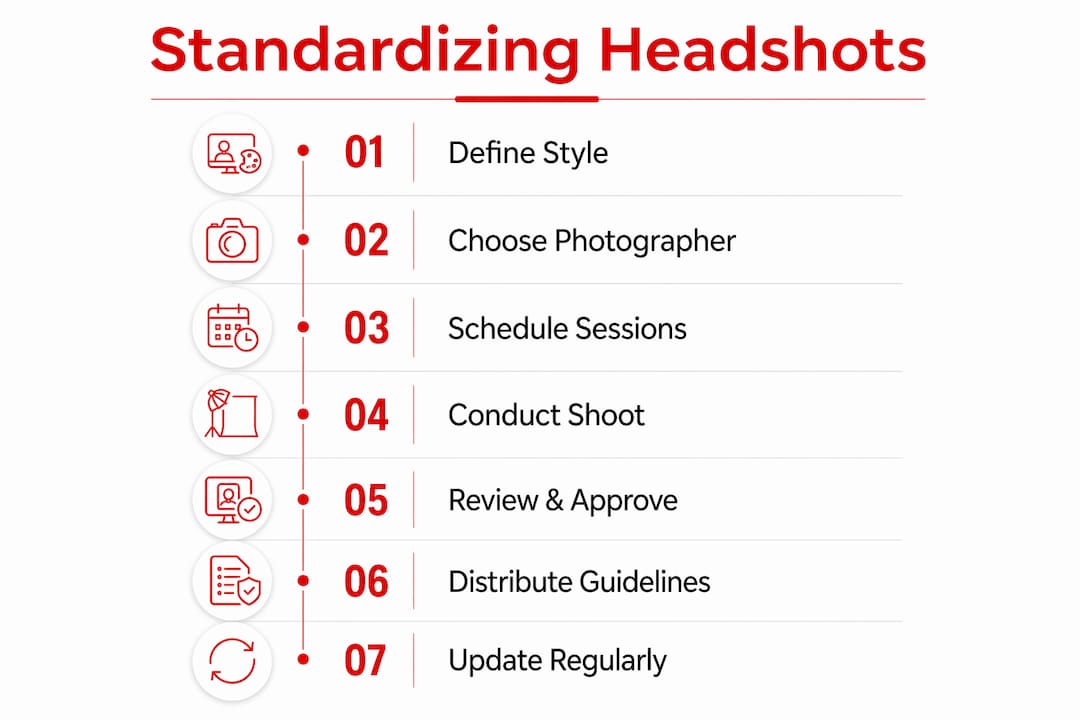
- Draft the style guide. Document background, lighting, crop, editing, attire, and grooming standards with visual examples.
- Get leadership buy-in. Photograph executives first. When leadership participates, employee compliance follows naturally.
- Communicate through HR channels. Send the prep guide via email, post it on your intranet, and include it in calendar invitations for session days.
- Incorporate into onboarding. Add headshot scheduling to your new hire checklist so every employee enters the system with a compliant portrait from day one.
- Schedule annual reviews. Brand standards evolve. Review and update your style guide every 12–18 months to stay current.
Pro Tip: Include two or three approved example headshots directly in your employee prep email. Seeing a real example eliminates ambiguity faster than any written description.
What are the best practices for organizing company-wide headshot sessions?
Logistics are where well-intentioned headshot programs break down. A clear operational plan separates a smooth, productive session from a chaotic one that produces inconsistent results.
Scheduling and photographer selection
Book photographers 3–4 weeks in advance to secure availability, especially for large teams. Choose a photographer with documented experience shooting corporate groups, not just individual portraits. Corporate group work requires a different skill set: the ability to direct dozens of people efficiently, maintain consistent lighting across a full day, and deliver edited images in a format your team can use immediately.
Allocate 10–15 minutes per person for large group sessions and 20–30 minutes for executive-level shoots. Executive sessions take longer because the stakes are higher and the subjects often need more direction to feel comfortable on camera. Build buffer time into your schedule. A 15-minute buffer every two hours prevents one slow session from cascading into delays for the rest of the day.
Venue setup and on-site studios
On-site photography studios with portable lighting and backdrop setups create a controlled environment that mirrors a professional studio. This approach minimizes disruption to your office workflow and eliminates the need for employees to travel. A dedicated room with consistent lighting also removes the variability that comes from shooting in different locations across multiple days.
| Setup option | Best for | Key consideration |
|---|---|---|
| On-site portable studio | Teams of 10 or more | Requires a dedicated room for the full session day |
| Off-site photography studio | Executive portraits or small groups | Travel time adds scheduling complexity |
| Multi-location rollout | Distributed or remote teams | Requires a detailed style guide to ensure consistency across sites |
Test shoots before full sessions
A test shoot with 2–3 subjects before committing to a full session confirms that the photographer can replicate your approved style within your specific office environment. Lighting behaves differently in every space. A test shoot surfaces those variables before they affect 50 or 100 portraits. Treat it as a quality gate, not an optional extra.
How do you maintain a standardized headshot program over time?
A headshot program is not a one-time project. It requires ongoing management to stay aligned with your brand and your workforce.
Schedule headshot updates annually or biennially and conduct quality audits between cycles. People change. Brands evolve. An employee photographed three years ago may look noticeably different today, and a portrait that matched your old brand colors may clash with your current visual identity. Regular refresh cycles keep your directory current and credible.
- Conduct a quality audit every 12 months. Review every active employee portrait against your current style guide. Flag images that are outdated, off-brand, or technically inconsistent.
- Create an off-cycle process for new hires. New employees should receive a headshot within their first 30 days. Build this into your onboarding workflow with a standing appointment or a monthly mini-session.
- Update your style guide after any brand refresh. If your company updates its color palette, logo, or visual identity, review your headshot standards at the same time.
- Use a centralized image management platform. Store all approved portraits in a single, organized system. This prevents employees from using outdated images and gives HR full visibility over what is live across your digital channels.
- Track compliance by department. A simple spreadsheet showing each employee’s last headshot date and compliance status makes it easy to identify gaps before they become visible problems.
What common challenges arise when standardizing employee headshots?
Even well-planned programs run into obstacles. Knowing the most common ones in advance lets you address them before they derail your efforts.
- Employee resistance. Some employees feel self-conscious about professional photos. Frame the headshot as a career asset, not a corporate requirement. When employees understand that a strong portrait supports their personal brand and LinkedIn presence, participation rates improve.
- Style mismatch across locations. Distributed teams photographed by different photographers in different cities are the biggest source of visual drift. A detailed style guide and a mandatory test shoot at each location are the most reliable solutions.
- Budget and scheduling constraints. Corporate headshot sessions for groups of 5–25 people typically range from $800 to $3,500, while sessions for 25–100 or more employees range from $2,000 to $8,000 or higher, depending on photographer expertise and session complexity. Knowing these ranges helps you build a realistic budget and make the case to leadership. You can also review headshot session pricing to benchmark your investment before you commit.
- Rapid company growth. Fast-growing companies often find their headshot program lagging behind their headcount. Monthly mini-sessions and a clear new-hire onboarding process solve this problem before it compounds.
- Legal and privacy considerations. Photo usage rights must be documented. Employees should sign a release confirming that their portrait can be used on the company website, LinkedIn, press materials, and internal directories. Consult your legal team on storage and data retention policies, particularly if you operate across multiple jurisdictions.
“The companies that treat their headshot program as a living system rather than a one-time project are the ones whose brand imagery stays sharp year after year. The secret sauce of professional branding is not the single perfect photo shoot. It is the process that keeps every portrait current, consistent, and on-brand.”
Photo dimension and background standards also apply beyond corporate use. For reference, official photo background requirements follow strict guidelines that illustrate how much background choice affects the perception of a portrait.
Key Takeaways
Standardizing employee headshots company-wide requires a documented style guide, consistent logistics, and a recurring maintenance process to sustain brand alignment over time.
| Point | Details |
|---|---|
| Document your standards | Create a style guide with visual examples covering background, lighting, crop, editing, and attire. |
| Communicate before sessions | Send a prep guide to employees covering attire, grooming, and what to expect on session day. |
| Plan logistics carefully | Book photographers 3–4 weeks out, allocate 10–15 minutes per person, and run a test shoot first. |
| Build a maintenance cycle | Conduct annual quality audits and create an off-cycle process for new hires. |
| Centralize image management | Store all approved portraits in one platform to prevent outdated images from circulating. |
What I have learned from running corporate headshot programs
I’m Traci Schowmeyer, and after working with corporate teams of every size, the pattern I see most often is this: companies invest in a great headshot session and then let the program drift. Two years later, half the team has updated portraits and half are still using photos from a different era, a different brand, and sometimes a different decade.
The visible difference a cohesive photo program makes is not subtle. When a recruiter or prospective client visits your team page and sees 40 portraits that clearly belong together, they read it as organizational confidence. When they see a patchwork of styles, sizes, and lighting conditions, they read it as disorganization. That impression forms in seconds, and it is hard to undo.
The lesson I keep returning to is that the logistics matter as much as the photography. A brilliant photographer cannot save a poorly scheduled session. Clear communication with employees before the day reduces anxiety and produces better expressions. Leadership participation signals that the program matters. And a centralized image library prevents the quiet erosion that happens when employees start uploading their own photos to fill the gap.
Standardized headshots also support recruitment in ways that HR leaders often underestimate. Candidates research companies thoroughly before accepting offers. A polished, consistent team page communicates culture and professionalism before a single conversation happens. For companies navigating hybrid and remote work, where employees may never meet in person, a strong headshot program is one of the few tools that creates a sense of shared identity across a distributed workforce.
The corporate photography workflow that works best is the one you can repeat. Build the system once, maintain it consistently, and your brand imagery will stay sharp without requiring a heroic effort every time someone joins the team.
— Traci Schowmeyer
How Metroplex Headshots supports your company-wide portrait program
Metroplex Headshots specializes in corporate portrait sessions for teams of every size, from small executive groups to large company-wide rollouts. The team brings portable studio setups directly to your office, maintains consistent lighting and backdrop standards across every session, and delivers retouched images that align with your documented style guide.
Whether you are launching a new headshot program or refreshing an existing one, Metroplex Headshots can help you build the process from the ground up. From professional headshot planning to full-scale national sessions, the team handles the logistics so your HR team can focus on what it does best. Explore national headshot services to see how Metroplex Headshots manages multi-location programs with consistent results across every site.
FAQ
What does it mean to standardize employee headshots?
Standardizing employee headshots means applying consistent background, lighting, crop, and editing style to every employee portrait across your organization. The goal is a unified visual identity that reinforces brand professionalism on your website, LinkedIn, and internal directories.
How long does a company-wide headshot session take?
Allow 10–15 minutes per person for large group sessions and 20–30 minutes for executive-level portraits. A team of 50 employees typically requires a full day when you include setup, buffer time, and photographer transitions.
How often should companies update employee headshots?
Annual or biannual updates are the standard recommendation, with quality audits conducted between cycles. New hires should receive a compliant headshot within their first 30 days through a standing off-cycle process.
What should a company headshot style guide include?
A style guide should document the approved background, lighting setup, crop standard, editing tone, retouching limits, attire requirements, and grooming expectations. Include annotated example images so employees and photographers have a clear visual reference.
How do you handle headshots for remote or distributed teams?
Use a detailed style guide and require a test shoot at each location before the full session begins. On-site portable studio setups at each office location produce the most consistent results across distributed teams.

