


Professional headshot retouching is the process of making subtle, targeted edits to a business portrait so you look polished, confident, and credible without looking like someone else. Done right, it removes what was never meant to be there — a stress pimple, a stray hair, a shiny forehead from studio lights — while leaving everything that makes you recognizable intact. Done wrong, it turns a genuine professional into a digital mannequin.
For business professionals, the stakes are real. Your headshot functions as a digital handshake on LinkedIn, your company bio, conference materials, and press coverage. Corporate headshots circulate in those professional networks for three to five years, which means the quality of your retouching compounds over time. Here is what ethical, effective business portrait retouching actually involves:
- Always remove: temporary blemishes, stray hairs, lint on clothing, shiny skin highlights
- Usually soften: deep under-eye shadows, redness around the nose or eyes, minor tie crookedness
- Never touch: permanent features — scars, moles, wrinkles, gray hair, freckles
- The goal: skin that looks healthy and textured, not airbrushed and ageless
Metroplex Headshots approaches every portrait with this philosophy: your headshot is an extension of your brand, not a replacement for your face.
Table of Contents
- What ethical headshot retouching actually looks like in practice
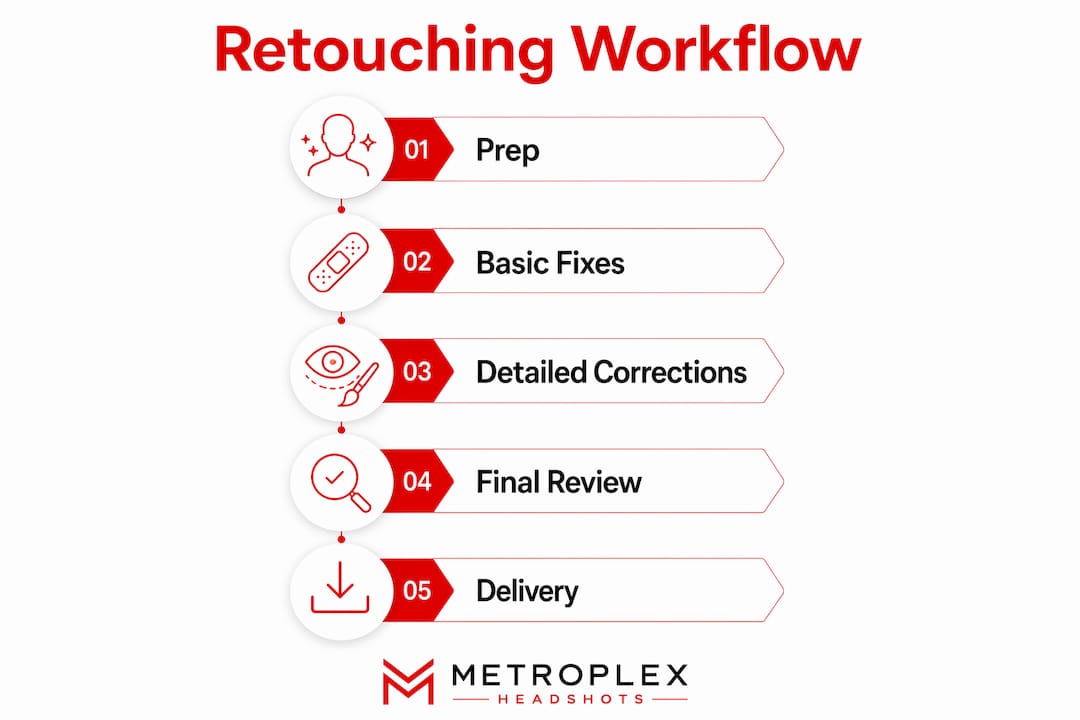
- How a professional headshot retouching workflow runs step by step
- How much retouching is actually appropriate for a business headshot?
- How to brief your retoucher so you get natural results
- How Metroplex Headshots approaches retouching as a brand extension
- Does retouching hurt your authenticity, or help it?
- Common over-editing mistakes that undermine professional headshots
- Metroplex Headshots brings ethical retouching to your corporate image
- Key Takeaways
What ethical headshot retouching actually looks like in practice
The line between enhancement and misrepresentation is clearer than most professionals think. Ethical retouching removes only temporary blemishes — pimples, redness, stray hairs — while preserving permanent features like scars, wrinkles, and moles. A headshot that looks ten years younger than you does not serve you. It surprises anyone who meets you in person, which is the opposite of building trust.

Culturally sensitive retouching matters just as much. Skin tone correction should even out lighting inconsistencies, not lighten or alter natural complexion. Retouchers working on diverse professional teams need to understand that what reads as “polished” varies by individual, and their job is to serve the subject’s actual appearance, not a generic beauty standard.
The dos and don’ts of ethical business portrait retouching:
- Do soften prominent features like deep creases or under-eye shadows, without erasing them
- Do remove temporary blemishes, lint, and stray hairs
- Do retain natural skin texture so the result looks like skin, not plastic
- Do whiten teeth subtly, keeping them within a believable range
- Don’t remove permanent features without explicit client request
- Don’t over-smooth skin to the point where pore structure disappears
- Don’t alter facial structure, lip shape, or bone definition
- Don’t apply a one-size-fits-all standard across diverse skin tones and ages
Pro Tip: Ask your photographer or retoucher directly: “What is your retouching philosophy?” A professional who can answer that question clearly — and who mentions preserving skin texture — is one you can trust with your brand.
How a professional headshot retouching workflow runs step by step
Understanding the workflow helps you know what to expect and how to evaluate the results you receive. Professional retouching starts with exposure and color correction before any skin work begins, because fixing the light first means less aggressive editing later.
Here is the standard sequence for business portrait retouching:
- Exposure and white balance correction — Adjust overall brightness, contrast, and color temperature so the image looks consistent and true to life.
- Color equalization — Even out any color casts from mixed lighting, ensuring skin tones read naturally across the frame.
- Temporary blemish removal — Address pimples, redness, and any skin discoloration that appeared on shoot day.
- Stray hair cleanup — Remove flyaways that distract from the face without flattening the overall hairstyle.
- Under-eye shadow softening — Reduce, not erase, shadows so the subject looks rested rather than digitally altered.
- Shiny highlight reduction — Shape and soften specular highlights on skin, particularly on foreheads and noses.
- Subtle teeth whitening — Brighten teeth within a natural range; brilliant white teeth on a real person look staged.
- Eye brightening — Gently enhance the whites of the eyes and sharpen the iris without making eyes look artificially wide.
- Final consistency check — Confirm the retouched image matches the brand’s color palette, background tone, and overall visual style, especially for team shoots.
Pro Tip: Scheduling your haircut 7–10 days before your shoot, and steaming your clothing the morning of, eliminates the two most common retouching requests before the camera even fires. Preparation is the most underrated part of the editing process.
How much retouching is actually appropriate for a business headshot?
Retouching intensity falls into three tiers, and choosing the wrong one for your context is one of the most common mistakes professionals make.
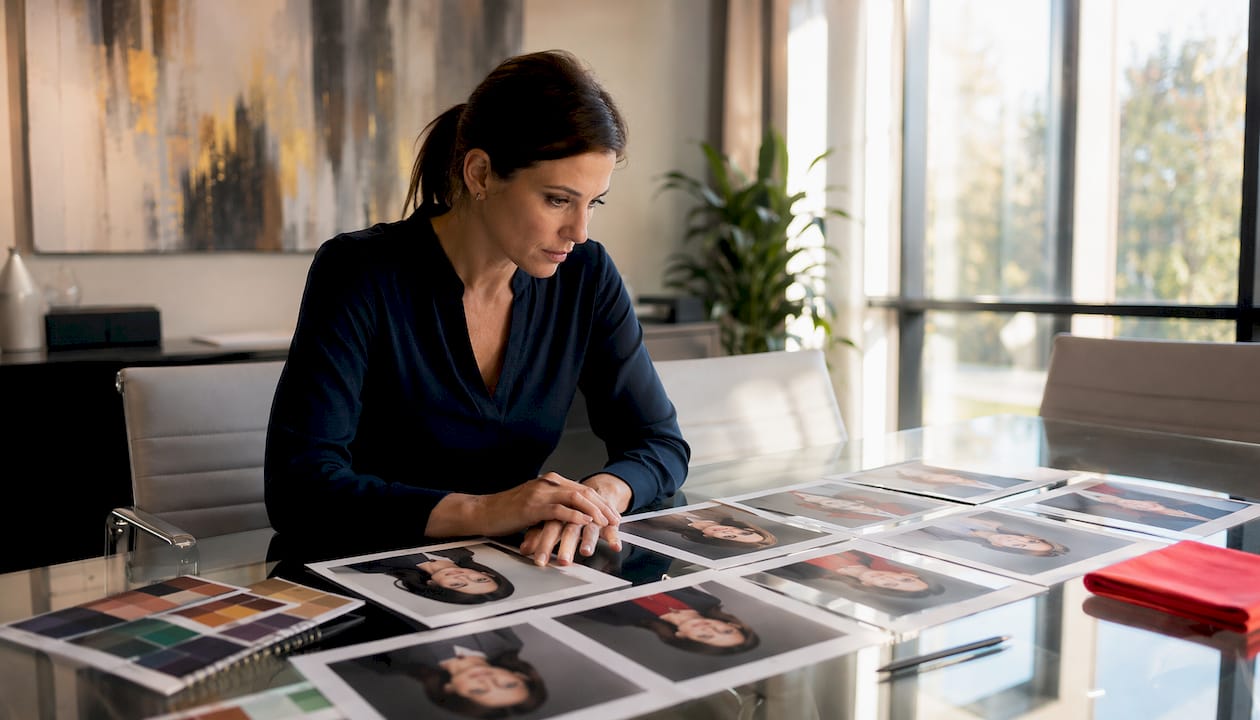
Basic retouching covers blemish removal, minor skin smoothing, teeth whitening, slight eye brightening, and global color correction. It is the right choice for LinkedIn profiles, resumes, and standard corporate directory photos where authenticity carries the most weight. Turnaround typically runs 24–48 hours, with pricing around $5–$15 per image.
Professional retouching adds detailed skin tone correction, refined color balance, flyaway hair adjustments, and subtle makeup enhancement. CEOs, entrepreneurs, and executives who need their portrait to project both authority and approachability typically work at this level. Expect costs of $20–$50 per image with delivery in 2–4 business days.
High-end or editorial retouching brings in frequency separation, comprehensive dodge and burn, advanced hair work, and precise texture refinement. This level suits magazine features, acting portfolios, and brand campaigns where the image will be printed large or scrutinized closely. Pricing ranges from $60–$150 per image, with turnaround of five to seven business days or longer.
The danger zone sits between professional and high-end when the retoucher over-smooths skin to achieve a “clean” look. Once pore structure disappears, the image reads as artificial to anyone viewing it, and that undermines the credibility the headshot was meant to build.
Evaluate any retouched image by asking one question: does this still look like a real person’s skin? If the answer is no, the retouching went too far regardless of the tier.
How to brief your retoucher so you get natural results
Clear communication before retouching begins is the single biggest factor in whether the final image matches your expectations. Briefing your retoucher should cover your desired level of editing, the features you want preserved, and the style you are aiming for, backed by visual examples whenever possible.
A practical briefing checklist for business portrait retouching:
- Retouching level: specify basic, professional, or high-end, and give a reference image if you have one
- Features to keep: name any permanent features — a distinctive scar, freckles, gray hair — that define your look and should not be touched
- Skin texture preference: state explicitly that you want visible skin texture retained, not smoothed away
- Teeth and eyes: indicate how much brightening feels natural to you; “subtle” means different things to different retouchers
- Brand alignment: share your company’s color palette or website so the retoucher can match background tones and overall warmth
- Turnaround and revisions: agree on delivery date and how many revision rounds are included before you approve final files
- Examples: attach a before-and-after from a retoucher whose work you admire, or annotate a reference image with specific notes
Pro Tip: Written instructions like “make it look better” produce generic, over-processed results every time. Pair a short written description with a visual reference, and your retoucher has everything they need to hit the mark on the first pass.
Building a collaborative relationship with your retoucher also means giving structured feedback when revisions are needed. Numbered comments (“1: retain more skin texture, 2: reduce eye whitening”) are far more useful than “it looks too edited.” The more specific you are, the faster the process moves and the better the final image serves your professional brand.
How Metroplex Headshots approaches retouching as a brand extension
Your headshot is not just a photo. At Metroplex Headshots, the philosophy is that every portrait should reflect who you are, what your business environment communicates, and the emotional tone you want clients to feel when they encounter your brand. Retouching is where that philosophy gets tested.
Natural retouching directly affects how clients perceive you before a single conversation takes place. Research from Princeton University shows that snap judgments about faces happen within milliseconds, shaping impressions of competence and trustworthiness almost instantly. An over-retouched portrait that looks artificial can trigger the same skepticism as a stock photo — it signals that something is off, even when the viewer cannot name exactly what.
Consistent retouching across a team also matters for brand cohesion. When every executive portrait on a company website shares the same color temperature, skin tone treatment, and background tone, the brand reads as organized and intentional. Visual drift, where one team member’s photo looks warm and another’s looks cool and clinical, quietly undermines that impression. Team headshot consistency is one of the most overlooked elements of corporate visual identity.
Benefits of professional, ethical retouching for business image:
- Builds immediate credibility with prospective clients and partners
- Supports a cohesive visual identity across LinkedIn, company bios, and press materials
- Extends the usable life of your headshot across the three-to-five-year circulation window
- Reflects executive presence without sacrificing authenticity
- Reduces the gap between how you look in person and how you appear online
Does retouching hurt your authenticity, or help it?
The answer depends entirely on the approach. Light, ethical retouching actually strengthens authenticity by removing distractions — a stress breakout, a sleepless-night shadow — that would otherwise pull a viewer’s attention away from your face and expression. What remains is a cleaner version of you, not a different person.
Heavy retouching does the opposite. When skin loses all texture, when eyes are brightened past the point of realism, or when facial structure is subtly reshaped, the image starts to feel like a performance rather than a portrait. Clients who meet you after seeing an over-edited headshot experience a small but real moment of disconnect, and that disconnect costs trust. The secret sauce of professional branding is looking like the best version of yourself, not a curated fiction.
AI-powered retouching tools have made this tension more acute. Software like Adobe Photoshop’s Generative Fill and Lightroom’s AI masking can now perform in seconds what once took an hour of skilled work. Speed is useful, but automation without judgment tends toward over-processing. The tools do not know when to stop. A skilled human retoucher, working within an ethical brief, does.
Common over-editing mistakes that undermine professional headshots
Most retouching mistakes fall into a predictable pattern: the retoucher keeps going past the point where the image looks natural because “more polished” feels like “better.” It rarely is.
The most common pitfalls in business portrait retouching:
- Plastic skin syndrome: Skin smoothing applied too aggressively removes pore structure entirely, producing a texture that reads as artificial to any viewer. The fix is frequency separation technique, which allows skin tone to be evened without erasing surface detail.
- Overwhitened teeth: Teeth brightened beyond a natural ivory shade look staged and pull focus from the eyes, where genuine connection happens in a portrait.
- Erased permanent features: Removing a mole, a scar, or distinctive freckles without client instruction crosses an ethical line and creates a portrait that does not match the person in real life.
- Inconsistent color treatment: Applying different warmth or contrast levels across a set of team photos creates visual drift that makes the brand look disorganized.
- Eye over-brightening: Whites of the eyes pushed too bright look unnatural and slightly unsettling, particularly on screens with high color accuracy.
- Structural alterations: Slimming the face, reshaping the jaw, or adjusting the nose crosses from retouching into digital alteration, which is both ethically problematic and practically counterproductive for business use.
- Ignoring clothing and background: A fully retouched face on a wrinkled shirt or a distracting background undermines the entire effort. Avoiding common headshot mistakes means treating the whole frame, not just the face.
The practical test for any retouched business portrait is simple: show it to someone who knows you and ask if it looks like you. If they hesitate, the retouching went too far.
Metroplex Headshots brings ethical retouching to your corporate image
Polished portraits that still look like you — that is the standard Metroplex Headshots holds every session to. Rather than applying a generic editing pass, the approach here treats your headshot as a brand asset: every retouching decision is made with your professional context, your industry, and your audience in mind.
Whether you need a single executive portrait or a full team shoot for your company website, Metroplex Headshots delivers corporate and executive headshots with retouching built into the process, not bolted on as an afterthought. The result is a portrait that works on LinkedIn, in press materials, and across your company bio for years without looking dated or artificial. Ready to see what that looks like for your brand? Book your session with Metroplex Headshots and walk away with a headshot that actually represents you.
Key Takeaways
Ethical business portrait retouching enhances your professional image by removing temporary distractions while preserving the permanent features that make you recognizable and trustworthy.
| Point | Details |
|---|---|
| What retouching should remove | Temporary blemishes, stray hairs, shiny highlights, and lint — never permanent features like scars or moles. |
| Three retouching tiers | Basic ($5–$15), professional ($20–$50), and high-end ($60–$150) serve different business contexts and platforms. |
| Headshots circulate for years | Corporate portraits appear on LinkedIn, bios, and press materials for three to five years, making quality retouching a long-term investment. |
| Brief your retoucher specifically | Share visual references, name features to preserve, and specify skin texture preferences to avoid over-processed results. |
| Metroplex Headshots | Delivers corporate and executive headshots with ethical retouching built in, treating every portrait as a brand asset. |

