


A professional portrait is the single most powerful visual signal you send before anyone reads your resume, shakes your hand, or hears your pitch. Career advancement photography is the practice of using intentional, high-quality imagery to communicate competence, trustworthiness, and brand alignment across every platform where opportunity lives. On LinkedIn, Upwork, and corporate directories, your portrait is the digital handshake that either opens a door or closes it. Updated professional headshots reflect your current professional status and signal active engagement in your field. This article breaks down exactly how to use that image to your advantage.
How does a professional portrait influence hiring and networking?
A strong professional portrait directly increases the likelihood that employers and clients will reach out to you. Quality portraits drive career outreach, with professionals who invest in high-quality headshots seeing measurable increases in contact rates from recruiters and prospective clients. That is not a coincidence. It reflects a psychological reality: humans form trust and competence judgments within milliseconds of seeing a face, and your portrait controls that first moment entirely.
The psychological mechanics behind this are well documented. A portrait that shows direct eye contact, a relaxed but upright posture, and a genuine expression communicates approachability and authority simultaneously. These are the exact traits hiring managers and networking contacts look for before they commit to a conversation. A photo that looks stiff, poorly lit, or five years out of date sends the opposite signal, suggesting either disengagement or a lack of attention to detail.
Portraits build professional confidence and networking success in ways that compound over time. When your image is consistent, current, and polished across platforms, people recognize you before they meet you. That recognition is the secret sauce of professional branding. It reduces friction in networking conversations and accelerates trust.
“Your portrait is not just a photo. It is a positioning statement. Every detail, from your expression to your background, tells a story about who you are professionally.”
Pro Tip: Shoot with a slight forward lean toward the camera. It reads as engaged and confident rather than passive, and it is one of the most underused posture adjustments in career advancement photography.
What are the key elements of an effective professional portrait?
Lighting is the foundation of any portrait that works. Natural, indirect lighting with a neutral background reduces visual distraction and keeps the focus on your face. Soft window light or a well-placed studio softbox eliminates harsh shadows that make even the most polished professional look tired or untrustworthy. The goal is even, flattering illumination that reveals rather than obscures.
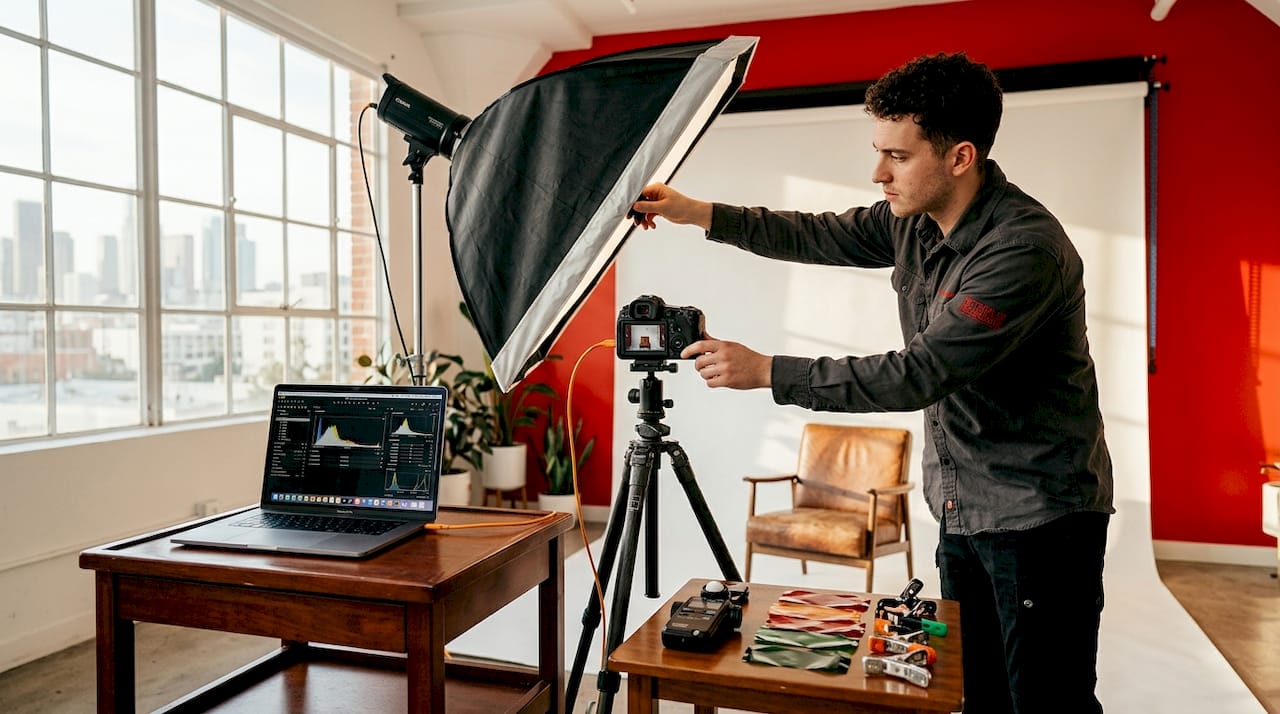
Background choice matters more than most professionals realize. A cluttered or visually busy background pulls attention away from your face, which is the entire point of the image. Neutral tones, soft gradients, or clean architectural elements all work well. The background should support your brand alignment, not compete with it.
Framing follows a simple rule: head and shoulders, camera at eye level. This composition is the industry standard for a reason. It feels direct and human. Shooting from below creates an unflattering angle; shooting from above can read as diminutive. Eye level is where executive presence lives.
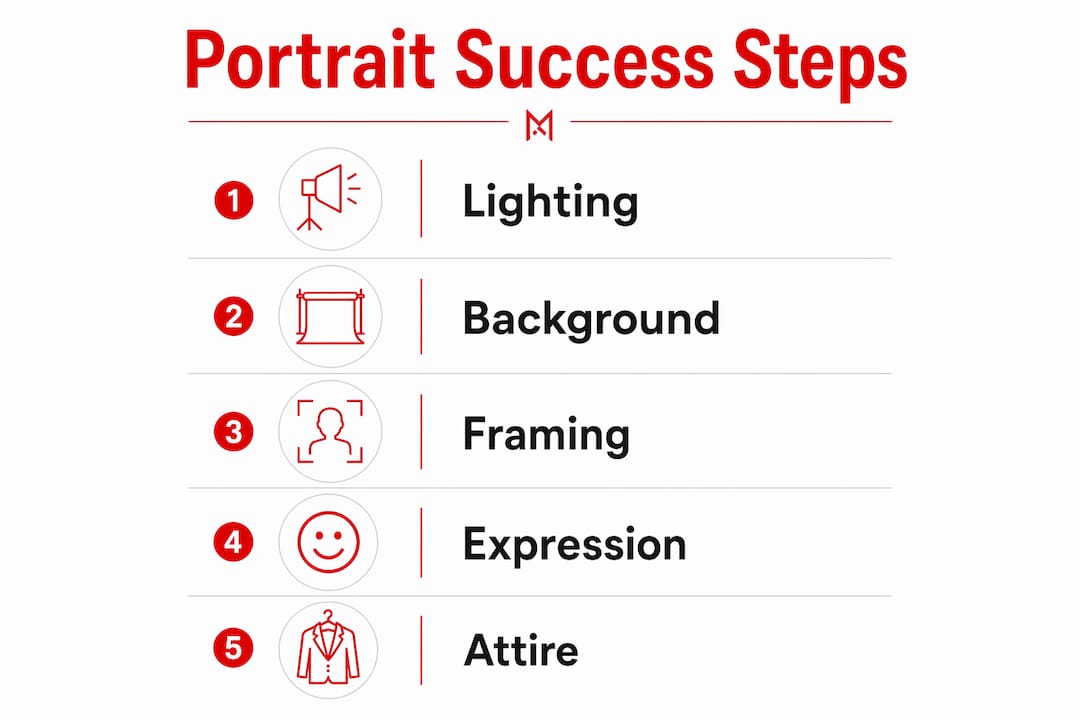
Expression and attire are the two elements most professionals get wrong. Your expression should be warm but grounded, not a forced smile and not a blank stare. Attire should match your industry norms. A financial advisor and a creative director have different standards, and your portrait should reflect yours specifically.
| Element | Effective approach | Ineffective approach |
|---|---|---|
| Lighting | Soft, natural, or studio diffused | Harsh direct flash, deep shadows |
| Background | Neutral, clean, non-distracting | Cluttered, busy, or irrelevant settings |
| Framing | Head and shoulders, eye level | Full body, extreme angles |
| Expression | Warm, confident, genuine | Forced smile, blank or tense look |
| Attire | Industry-appropriate, polished | Casual, wrinkled, or mismatched |
| Editing | Minimal retouching, true to life | Heavy filters, artificial skin smoothing |
Minimal retouching maintains authenticity and the trust that comes with it. Over-edited images signal inauthenticity, which is the last thing you want when someone is deciding whether to hire or partner with you.
Pro Tip: Smartphones with portrait mode can produce professional-quality results when paired with good natural light and a clean background. You do not always need a studio to get a credible shot, but you do need intentionality.
How to leverage portraits across career platforms and contexts
Every platform where you have a professional presence has its own visual culture, and your portrait should be calibrated accordingly. Here is how to think about the major contexts:
- LinkedIn: Your LinkedIn photo should fill the circular frame without cropping your face. LinkedIn recommends a photo where your face takes up roughly 60% of the frame. A warm, approachable expression works better here than a formal corporate look, because LinkedIn is a networking platform, not a corporate directory.
- Upwork and freelance platforms: Upwork disallows AI-generated profile photos and requires that your photo match how you appear on a video call. This is a platform-specific rule with real consequences. Your Upwork portrait should look like you on your best day, not a polished version of someone else.
- Corporate directories and company websites: These contexts call for more formal framing and attire. Executive presence matters here. A corporate versus business headshot carries different visual weight, and understanding that distinction helps you choose the right style for the right context.
- Resumes and portfolios: A small portrait on a resume or portfolio page adds a human dimension to your application. Keep it consistent with your LinkedIn photo to reinforce brand recognition across touchpoints.
- Personal branding materials: Business cards, speaker bios, and email signatures all benefit from a consistent portrait. Consistent framing and expression across channels creates stable identity cues that make you recognizable and memorable.
The underlying principle is brand alignment. When someone sees your face in three different contexts and it looks like the same person with the same energy, trust accumulates. When your portrait varies wildly across platforms, it creates visual drift, and visual drift erodes credibility.
Pro Tip: Test multiple photos by shooting several poses and outfits in one session, then share the top candidates with two or three trusted colleagues before making a final selection. Outside perspective catches things you will miss about your own image.
What common mistakes professionals make with their portraits
Most portrait mistakes fall into predictable categories, and all of them are avoidable with a little preparation.
- Using an outdated photo. A portrait from five or more years ago creates a mismatch between your digital presence and your in-person reality. Common portrait mistakes include outdated photos that undermine credibility the moment someone meets you in person.
- Over-editing for an artificial look. Heavy skin smoothing, dramatic color grading, and digital alterations reduce authenticity. Viewers sense the artificiality even if they cannot name it, and it creates subconscious doubt about your trustworthiness.
- Inappropriate background or setting. A bathroom mirror selfie, a vacation photo cropped at the shoulder, or a group photo with someone cut out all signal that you did not prioritize your professional image. The background communicates context, and context shapes perception.
- Ignoring platform-specific guidelines. Upwork’s prohibition on AI-generated photos is one example. LinkedIn’s circular crop is another. Uploading a portrait without accounting for how the platform will display it often results in awkward cropping or a photo that simply does not perform.
- Inconsistency across channels. Using five different photos across LinkedIn, your company website, your email signature, and your portfolio creates a fragmented personal brand. Consistency is not vanity. It is strategy.
The pattern across all five mistakes is the same: they signal that the professional did not think carefully about how their image would land with the viewer. That is the opposite of the message you want to send.
Key takeaways
A professional portrait is a career asset that directly shapes how employers, clients, and collaborators perceive your competence, trustworthiness, and brand alignment before any conversation begins.
| Point | Details |
|---|---|
| First impressions are visual | Your portrait forms trust and competence judgments in milliseconds, before any words are read. |
| Platform calibration matters | LinkedIn, Upwork, and corporate directories each require different portrait styles and specifications. |
| Authenticity outperforms perfection | Minimal retouching and genuine expression build more trust than heavily edited, artificial-looking images. |
| Consistency builds recognition | Using the same portrait style across all channels creates stable identity cues that compound over time. |
| Update regularly | An outdated headshot creates a credibility gap between your digital presence and your current professional reality. |
What I have learned after years behind and in front of the lens
I’m Traci Schowmeyer, and I want to share something that took me longer than it should have to fully accept: most professionals dramatically underestimate what their portrait is doing to their career, in both directions.
I have worked with attorneys who were losing client inquiries to competitors with inferior credentials but better photos. I have worked with consultants who had brilliant portfolios buried under a grainy, poorly lit headshot that made them look like they did not care. The portrait was the problem, not the work.
Here is the part that surprises most people: you do not need to spend a fortune to get a portrait that works. What you need is intentionality. A clean background, good natural light, appropriate attire, and a genuine expression will outperform an expensive studio session where the subject looks uncomfortable every single time. The investment is as much mental as it is financial.
The misconception I push back on hardest is the idea that updating your portrait is optional, something you do when you get a new job or a major promotion. Your portrait should evolve with your career, not lag behind it. If your current photo does not reflect who you are today, the professional you have become, the clients you serve, and the level you operate at, then it is actively working against you. That is not a small problem. It is a daily drag on your career momentum.
My advice is simple: look at your current portrait and ask whether it would make you want to hire yourself. If the answer is anything other than an immediate yes, it is time for a new one.
— Traci Schowmeyer
Ready to transform your professional image with Metroplex Headshots?
Your portrait is doing one of two things right now: opening doors or quietly closing them. Metroplex Headshots specializes in business portrait photography that is strategically designed to reflect your industry, your brand, and the professional you are today.
Every session at Metroplex Headshots is built around what your clients and colleagues will think when they see your image. From personalized session prep to industry-specific styling guidance, the process is designed to take the guesswork out of getting a portrait that actually works for your career. Explore the headshot session prep guide to see exactly how to prepare, what to wear, and how to walk in ready to get the shot that moves your career forward.
FAQ
How does a professional portrait affect career advancement?
A professional portrait shapes how employers, clients, and collaborators perceive your competence and trustworthiness before any direct interaction. Professionals with high-quality headshots see measurable increases in outreach from recruiters and clients.
How often should I update my professional headshot?
Update your portrait whenever your appearance changes significantly or when you shift roles, industries, or career levels. An outdated photo creates a credibility gap between your digital presence and your in-person reality.
What is the best background for a professional portrait?
A neutral, non-distracting background, such as a soft gradient, plain wall, or clean architectural element, keeps the focus on your face and communicates professionalism without visual noise.
Can I use a smartphone for my professional headshot?
Smartphones with portrait mode and good natural light can produce credible professional photos. The key variables are lighting quality, background cleanliness, and a genuine, confident expression, not the camera itself.
Why does portrait consistency across platforms matter?
Consistent framing, expression, and style across LinkedIn, Upwork, your company website, and other channels builds visual recognition and trust. Inconsistency creates visual drift that fragments your personal brand and reduces credibility.

